


Shopify makes it relatively easy to launch a fashion store, but an easy setup does not guarantee a successful store.
Fashion brands often make mistakes in product structure, theme selection, mobile UX, apps, SEO, inventory, and conversion optimization. These issues may look small during development, but they can create expensive problems once traffic and orders increase.
For brands planning to scale, identifying shopify mistakes fashion brands commonly make before launch can prevent unnecessary redesigns, app costs, and technical work later.
The good news is that most of these problems are avoidable. Here are the mistakes that deserve the closest attention.
Key Takeaways
- A Shopify theme based only on appearance can create performance, usability, and customization problems as your fashion store grows.
- Installing too many apps can increase monthly costs, third-party scripts, and page weight. Install apps only when they provide clear business value.
- Standardize product variants, sizes, colours, materials, SKUs, and product attributes before uploading your catalogue.
- A beautiful product page is not enough. Include fit details, size charts, measurements, fabric information, care instructions, delivery, returns, and stock availability.
What Are the Most Common Shopify Mistakes Fashion Brands Make?
Launching a Shopify fashion store involves more than choosing a theme and adding products. Small decisions around design, product structure, apps, performance, SEO, and checkout can directly affect the shopping experience and store growth.
Understanding these common Shopify mistakes fashion brands make can help you avoid costly fixes and build a store that is easier to manage, faster to navigate, and better prepared for long-term growth.
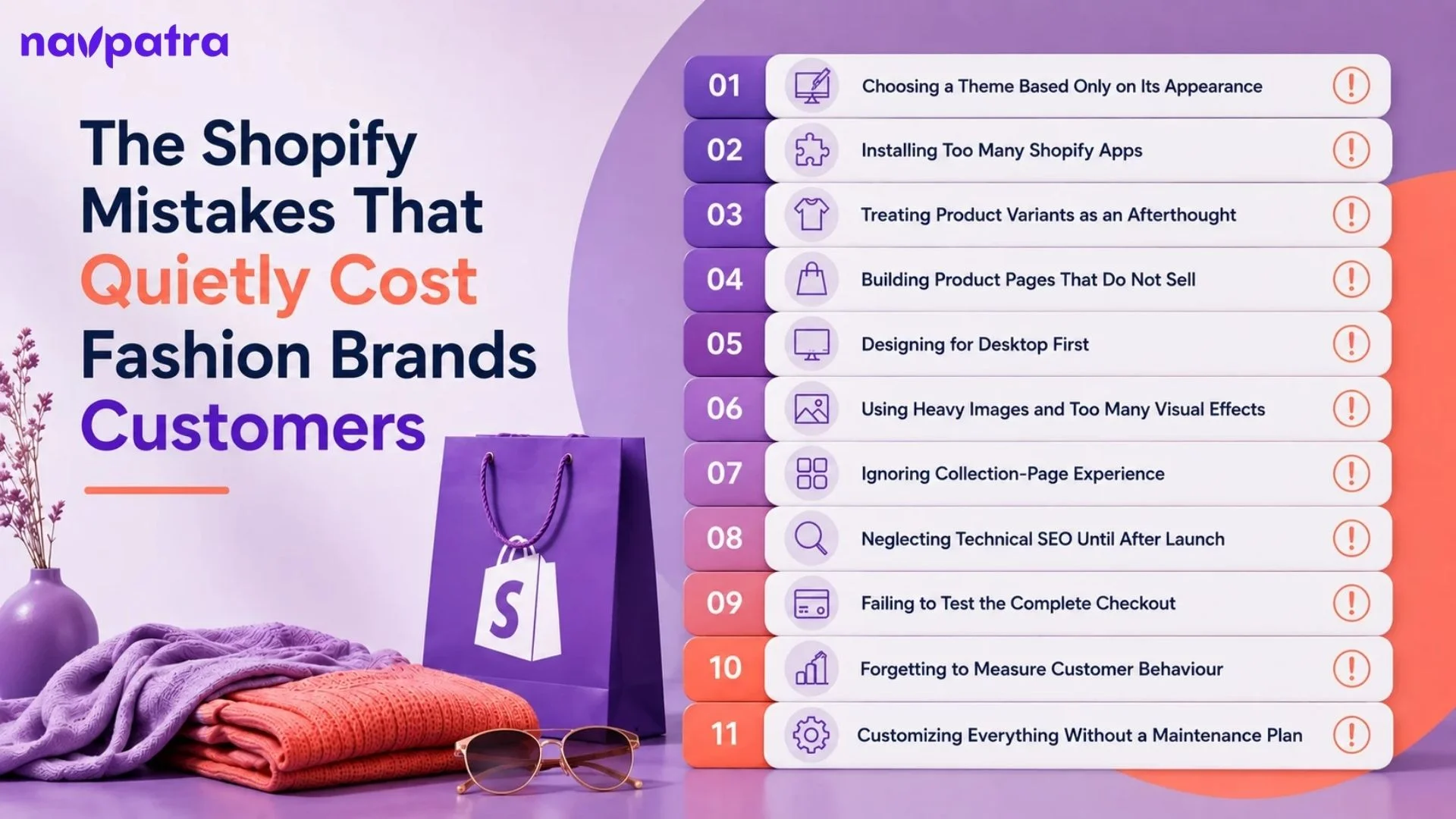
| No. | Common Shopify Mistake | Potential Impact |
|---|---|---|
| 1 | Choosing a theme based only on appearance | Slow performance, poor UX, and limited scalability |
| 2 | Installing too many Shopify apps | Higher costs, slower pages, and code conflicts |
| 3 | Treating product variants as an afterthought | Poor inventory management and inconsistent product data |
| 4 | Creating product pages that do not sell | Lower trust, fewer add-to-carts, and more customer questions |
| 5 | Designing for desktop first | Poor mobile experience and lost conversions |
| 6 | Using heavy images and too many visual effects | Slow loading and higher bounce rates |
| 7 | Ignoring collection-page experience | Difficult product discovery and weaker navigation |
| 8 | Neglecting technical SEO until after launch | Indexing issues and missed organic traffic opportunities |
| 9 | Failing to test the complete checkout | Payment errors, abandoned carts, and lost sales |
| 10 | Forgetting to measure customer behaviour | Poor optimization decisions and unclear conversion issues |
| 11 | Customizing everything without a maintenance plan | Higher maintenance costs and technical debt |
Choosing a Theme Based Only on Its Appearance
A visually impressive theme can still be a poor choice for a fashion store.
Fashion brands often select themes because the demo looks premium. The problem is that demo stores usually contain optimized content and a carefully controlled number of products. Your actual store may have hundreds of products, large images, review widgets, filters, tracking scripts, and third-party apps.
Shopify confirms that theme code, apps, images, videos, analytics, and third-party code can all affect storefront performance.
When comparing themes, evaluate:
- Mobile performance
- Collection-page navigation
- Product filtering
- Variant selection
- Image galleries
- Customization options
- App compatibility
- Core Web Vitals
Do not ask, “Which theme looks best?” Ask, “Which theme can support my actual catalogue without creating performance or usability problems?”
Installing Too Many Shopify Apps
One of the most expensive shopify mistakes fashion brands make is treating apps as a shortcut for every new requirement.
A brand may install separate apps for reviews, pop-ups, wishlists, size charts, recommendations, bundles, analytics, social feeds, speed optimization, and marketing. Eventually, several apps may perform overlapping functions.
The problem is not simply the monthly subscription cost. Apps can add scripts and third-party code to the storefront. Shopify specifically recommends evaluating whether installed apps provide enough value to justify their potential performance impact.
Before installing an app, ask:
- Does Shopify already provide this function
- Does my theme already support it
- Will this app directly improve revenue, operations, or customer experience?
If the answer is unclear, do not install it. Also remember that uninstalling an app does not always remove its code from the theme. Shopify recommends checking for leftover code when removing unnecessary apps.
Insights: About 94% of the time, users form their opinion about a website based on its design, and an average user takes only 0.05 seconds to decide how they feel about a website after landing on it.
Treating Product Variants as an Afterthought
Size and colour are not minor product details for a fashion brand. They are fundamental parts of the catalogue.
Shopify allows products to have variants for options such as size and colour, with inventory managed at the variant level. Shopify currently supports up to three options per product and up to 2,048 variants per product.
A common mistake is creating inconsistent variant data. For example:
- One product might use: Black, Medium, Cotton
- While another uses: Blk, M, 100% Cotton
This inconsistency makes catalogue management, filtering, reporting, and merchandising harder.
Create a standard naming system before uploading products. Decide how your brand will name colours, sizes, fits, materials, and product types, then use those conventions consistently.
Building Product Pages That Look Good but Do Not Sell
Beautiful photography cannot compensate for missing buying information.
Fashion customers need to understand fit, material, measurements, colour, care, availability, delivery, and returns before placing an order.
Shopify’s product system supports descriptions, images, videos, inventory, variants, tags, metafields, and other product information.
A strong product page should answer practical questions without forcing customers to contact support. Include information such as:
- Model height and size worn
- Fit type
- Fabric composition
- Garment measurements
- Size chart
- Care instructions
- Delivery estimate
- Return conditions
- Stock availability
It is especially important for newer brands because customers do not yet have enough familiarity with the product to make assumptions.
Designing for Desktop First
Another common mistake among shopify mistakes fashion brands is treating mobile as a secondary version of the website.
Shopify states that mobile devices account for the majority of Shopify storefront traffic and notes that mobile devices also face more constrained CPU, memory, and network conditions.
For a fashion store, mobile testing should cover the complete purchase journey. Test:
Homepage → Collection → Filter → Product → Variant → Cart → Checkout
Do not only check whether the homepage “looks responsive.”
A product gallery that works on desktop may become difficult to swipe on mobile. A filter drawer may hide important controls. A sticky add-to-cart bar may cover product information. A size selector may require excessive scrolling.
These are conversion problems, not merely design problems.
Using Heavy Images and Too Many Visual Effects
Fashion depends heavily on photography, but that does not mean every image should be uploaded at maximum resolution.
Large product images, autoplay videos, animations, carousels, and background effects can collectively increase page weight.
Shopify recommends appropriately sizing images and limiting unnecessary sections and animations. It also identifies excessive apps and third-party code as common contributors to poor performance.
The practical approach is to prioritize visual content that helps customers make decisions.
A close-up fabric photograph can be valuable. A decorative animation that delays the product from appearing is not.
Measure actual performance rather than assuming that a visually minimal website is automatically fast.
Ignoring Collection-Page Experience
Many brands spend most of their development time on the homepage and product page while treating collection pages as simple grids.
That is a mistake for fashion ecommerce.
A customer browsing 200 dresses needs effective filtering, sorting, product cards, variant visibility, pagination, and collection navigation. Consider filters such as:
- Size
- Colour
- Price
- Fit
- Material
- Availability
- Product type
However, avoid adding every possible filter. If customers see 20 irrelevant options, filtering becomes another source of friction.
For larger collections, Shopify also recommends pagination to limit how many products load at once, which can help storefront performance.
Neglecting Technical SEO Until After Launch
SEO should be considered while the store architecture is being developed. A common mistake is launching first and asking an SEO specialist to fix everything later. Review important elements before launch:
- Product and collection URLs
- Page titles
- Meta descriptions
- Internal links
- Canonical tags
- XML sitemap
- Indexing controls
- Image alt text
- Structured data
- Redirects
Product data should also remain consistent between the visible page and structured information.
For fashion brands, variant architecture deserves particular attention because products commonly differ by size, colour, and other attributes.
Good SEO is easier when the catalogue structure is correct from the beginning rather than rebuilt after hundreds of products have already been published.
Failing to Test the Complete Checkout
A store can look perfect while its checkout contains serious problems. Do not assume payment integration works because the payment button appears. Run test orders and verify:
- Successful payments
- Failed payments
- Discount codes
- Shipping charges
- Inventory deduction
- Order confirmation
- Cancellation
- Refunds
- Customer notifications
Also test different payment methods relevant to your target market.
The objective is to identify problems before customers encounter them. A checkout error during a major campaign can cost considerably more than the development effort required to test it properly.
Insights: A well-designed website can significantly increase engagement, with users spending up to 84% more time on your site, while also driving up to a 132% year-over-year growth in online revenue.
Forgetting to Measure Customer Behaviour
Another recurring problem is launching the store without meaningful ecommerce tracking. You need to know where customers lose momentum. For example:
- High product views + low add-to-cart rate may indicate problems with pricing, product information, imagery, reviews, or sizing.
- High add-to-cart rate + low purchase rate may point toward shipping costs, payment friction, unexpected charges, or checkout problems.
Without reliable data, brands often make changes based on assumptions.
Set up ecommerce analytics before launch and monitor the customer journey after launch. Optimization should follow evidence rather than personal preference.
Customizing Everything Without a Maintenance Plan
Some brands heavily customize their Shopify theme because they want the store to look completely different from competitors.
Customization is useful, but excessive custom code can create maintenance problems.
Every custom feature needs to remain compatible with future theme updates, apps, Shopify changes, and new functionality.
Shopify’s current performance guidance recommends auditing customizations and ensuring they are still necessary. Updating to the latest theme version may also provide functionality that previously required custom code.
Before adding custom functionality, ask whether the requirement is genuinely unique.
If a standard Shopify feature or well-supported theme function can solve the problem, using it may reduce future maintenance.
How Can Fashion Brands Avoid These Shopify Mistakes?
The best way to prevent shopify mistakes fashion brands encounter is to create a structured review process before and after launch.
Instead of checking only whether the website looks finished, review it across four areas:
- Customer experience: Can shoppers find, understand, compare, and purchase products easily?
- Technical performance: Does the storefront remain responsive with real products, images, apps, and scripts?
- Catalogue management: Are sizes, colours, SKUs, inventory, and product information consistent?
- Business measurement: Can you identify where customers enter, convert, abandon, and return?
Insights: On average, it takes about 2.6 seconds for a user’s eyes to focus on the most important areas of a web page.
Final Thoughts
Most shopify mistakes fashion brands make do not come from Shopify itself. They usually come from decisions made around the platform: choosing a theme for appearance alone, installing unnecessary apps, structuring variants poorly, overlooking mobile performance, or launching without proper testing and measurement.
The solution is not to avoid customization or apps altogether. It is to use them selectively.
Keep the storefront technically lean, build product data systematically, test the complete shopping journey, and use real customer behaviour to guide improvements.
Shopify’s own performance guidance emphasizes auditing themes, apps, third-party scripts, images, and customizations because each can affect storefront performance.
A well-managed Shopify store should become easier to operate as it grows. The goal is to build a storefront that can handle more products, more customers, and more orders without creating unnecessary technical debt.
A theme can look stunning in a demo and still deliver a poor experience on your actual store. Get a fashion website designed for speed, usability, mobile shoppers, and conversions.